
The short answer
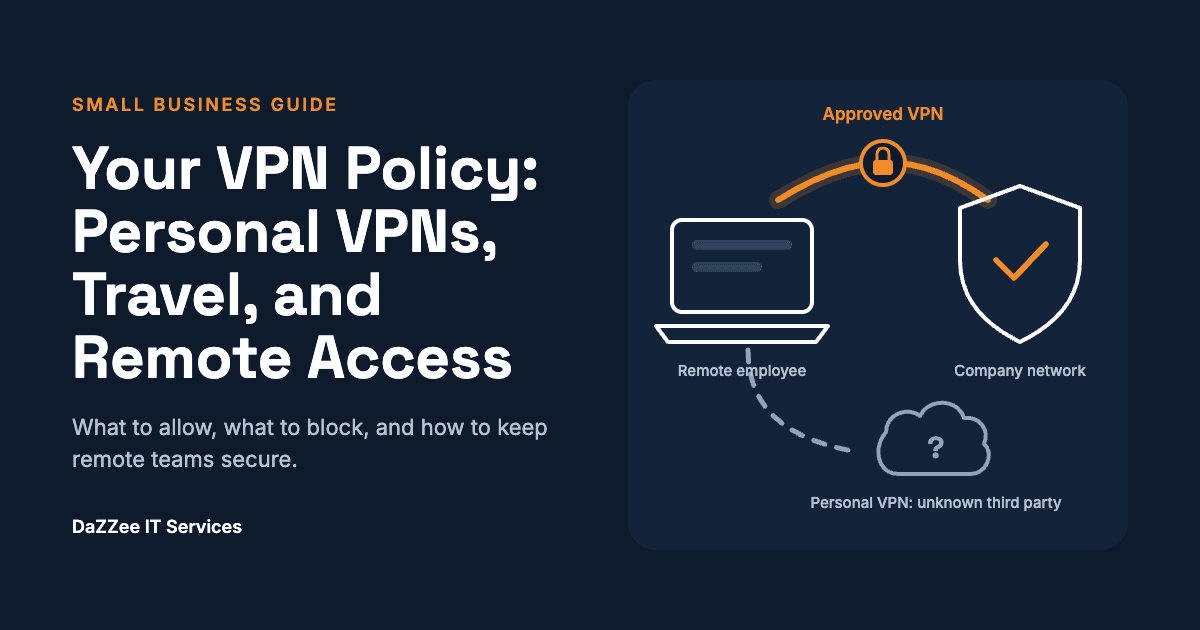
Every small and mid-sized business with remote or traveling employees needs a written VPN policy. At minimum it should name the approved VPN, ban personal VPN apps on company devices, explain how employees request secure access before they travel, and spell out what IT does when an unapproved VPN appears.
Without that policy, employees fill the gap themselves with consumer VPN apps. Your managed IT provider then sees traffic it cannot inspect, often treats it as a possible breach, and shuts it down. Nobody wins.
This guide is for owners, operations leaders, and office managers who want to get ahead of that. If you want the background on why personal VPNs are risky in the first place, listen to our Give IT To Me Straight episode, What Is a VPN, and Why Can a Personal One Create Risk?, with DaZZee founder Shane Naugher and Rapid Response Team Lead Logan Wilson.
What should a small business VPN policy include?
A useful VPN policy fits on one page. These are the decisions it needs to make.
1. Approved VPN
Decide: Which VPN employees use for work, and on which devices.
Example language: "Company devices connect remotely only through the company-provided VPN."
2. Personal VPNs
Decide: Whether consumer VPN apps are allowed on company devices.
Example language: "Personal or consumer VPN apps may not be installed or used on company devices or accounts."
3. Travel requests
Decide: How and when employees tell IT about upcoming travel.
Example language: "Notify IT at least 5 business days before travel that involves hotel, airport, or public Wi-Fi."
4. Traffic routing
Decide: Whether all traffic or only company traffic routes through the office (split tunneling).
Example language: Set by IT and explained to employees in plain terms.
5. Regulated data
Decide: Extra rules for HIPAA, PCI, or other regulated data.
Example language: "Regulated data may only be accessed over the company VPN."
6. Enforcement
Decide: What happens when an unapproved VPN is detected.
Example language: "IT may immediately block the connection and contact the user to verify."
7. Ownership
Decide: Who approves exceptions and reviews the policy.
Example language: The owner or operations lead, with your IT provider, reviewed yearly.
Adjust the notice window and the exception process to your business. The point is that employees know the rule and the path before they need it.
Why personal VPNs need their own line in the policy
Most employees who install a personal VPN mean well. They read that VPNs keep you safe. For a business, three things make it a policy issue rather than a personal choice:
- No control or visibility. Company data travels through a third party your business has never vetted.
- It looks like an attack. Attackers routinely hide inside VPN traffic, and a VPN can make a local employee appear to log in from another state.
- It breaks compliance. If you handle HIPAA or PCI data, you need to know where that data goes.
The episode linked above covers each of these in depth. The rest of this guide focuses on what to do about it.
How should you support employees who travel?
Travel is the number one reason employees go looking for their own VPN. Public Wi-Fi in hotels, airports, and on cruise ships really is risky, so the instinct is right. Your job is to make the approved option easier than the workaround.
- •Give traveling staff the business VPN before they need it. Install and test it on their laptop and phone while they are still in the office.
- •Set up a simple travel notice. A short form or email to IT with dates, destinations, and devices.
- •Tell IT about unusual locations in advance. International travel or long stretches away can trip location-based alerts. A heads-up lets your IT team expect it.
- •Have a fallback. Decide what employees do if the VPN will not connect, such as using a phone hotspot, rather than downloading something on the spot.
- •Remind people before peak travel seasons. A two-line email before holidays and conference season prevents most incidents.
What should happen when an unapproved VPN shows up?
Agree on the response with your IT provider before it happens. At DaZZee, an unapproved VPN on a client device triggers an alert for our Rapid Response Team, and the default is to block first and verify second. When the same signal could mean an employee on vacation or an active breach, stopping it is the safe call.
A clean response playbook looks like this:
- •Detect. Security tools flag VPN software or traffic that is not on the approved application list.
- •Contain. IT blocks the connection or isolates the device.
- •Verify. IT contacts the employee directly, by phone rather than email, to confirm who is using the device and why.
- •Resolve. If it was a legitimate need, remove the personal VPN and set up the approved option. If not, escalate to incident response.
- •Learn. Ask why the employee felt they needed it, and close that gap in the policy or setup.
The owner's role is to approve this playbook in advance and back IT when it is followed, even when it briefly interrupts someone's work.
How do you configure the business VPN so people actually use it?
Employees avoid company VPNs they think are slow or restrictive. The fix is usually a configuration choice called split tunneling.
Full tunnel
How it works: All traffic routes through the company network.
Best fit: Highly regulated data, or when you need to inspect all traffic.
Split tunnel
How it works: Company traffic goes to the company network. Other internet traffic goes direct.
Best fit: Most small businesses with remote and traveling staff.
Split tunneling keeps the experience fast without giving up visibility into the traffic that matters, because your IT team decides exactly what goes through the firewall. A consumer VPN may split traffic too, but you have no say in which traffic goes where. Ask your IT provider which setup fits your data and your team.
Your 30-day rollout checklist
- Ask your IT provider for a report of VPN software currently installed on company devices
- Choose and deploy an approved business VPN, with split tunneling where it fits
- Write the one-page VPN policy using the elements above
- Add it to your acceptable use or remote work policy and have employees acknowledge it
- Set up the travel notice process
- Approve the detection and response playbook with your IT provider
- Send your team the notice below
A notice you can send your team
Copy, adjust, and send:
Subject: Using a VPN for work
To keep company and client data protected, please do not install or use personal VPN apps (such as NordVPN, Proton VPN, or free VPNs) on company devices. Our security tools may block them automatically.
If you are traveling or working on public Wi-Fi, contact IT before you go and we will set you up with our approved VPN. If your connection ever stops working unexpectedly, call IT right away.
Frequently asked questions
Does a small business really need a VPN policy? If anyone works remotely, travels, or uses public Wi-Fi for work, yes. A one-page policy prevents most of the confusion and false alarms.
Can I block personal VPNs on company devices? In most cases, yes. Your IT provider can use application control and network monitoring to flag or block VPN software that is not approved.
What should a VPN policy include for HIPAA or PCI data? Require the company VPN for any access to regulated data, document how traffic is routed, and keep records of approvals and exceptions. Confirm specifics with your compliance advisor.
Is split tunneling secure? When your IT team configures it, split tunneling protects company traffic while keeping everyday browsing fast. Highly regulated environments may still choose a full tunnel.
Who should own the VPN policy? The owner or operations lead should approve it. Your IT provider should help write the technical parts and enforce it.
Want help putting this in place?
DaZZee helps small and mid-sized organizations build remote access policies, deploy approved VPNs, and respond fast when something looks off. If you are not sure what is running on your company devices today, let's start there.